Showing posts with label Photo Editing Software. Show all posts

Monday, July 8, 2013

Photoscape v3.6.4 Full Version Portable 


Photoscape is a fun and easy photo editing software that enables you to fix and enhance photos. PhotoScape is a complete photo editing suite that includes image browsing/viewing, photo editing, picture page printing, photo resizing and renaming, and even RAW conversion. The photo editor includes standard editing features as well as automatic and custom adjustment options for brightness, contrast, exposure, backlight corrections and more. It also offers a variety of image effect filters and a collection of image frames and masks that can be applied to enhance the presentation of your photos.
The tool offers the beginner everything they need to organize and edit their digital images. Other than the viewer, Photoscape has functions to clone, crop, sharpen and decolor as well as settings for contrast, levels, vignetting and many other image parameters. Several templates allow to easily arrange photos on a page which can then be saved as a final image or be printed on paper.
Photoscape also includes capabilities for red-eye removal, batch editing (file names and image settings), converting camera RAW files, taking screenshots and generating GIFs, where several individual images can be combined to an animated GIF.
Photoscape also includes extensive printing options that allow you to create print layouts to combine multiple photos on a single page according to their print size. You can also create image collages from different layout templates, that can be saved as new JPG files.Other features include batch editing, GIF animations, EXIF display, slideshow and more. A very complete package that will meet most of your digital image editing needs.
Downloads:
Photoscape v3.6.4  : Download From Here
Key Features of Photoscape:
Viewer: View photos in your folder, create a slideshow.
Editor: resizing, brightness and color adjustment, white balance, backlight correction, frames, balloons, mosaic mode, adding text, drawing pictures, cropping, filters, red eye removal, blooming, paint brush, clone stamp, effect brush.
Batch editor: Batch edit multiple photos.
Page: Merge multiple photos on the page frame to create one final photo.
Combine: Attach multiple photos vertically or horizontally to create one final photo.
Animated GIF: Use multiple photos to create a final animated photo.
Print: Print portrait shots, carte de visites(CDV), passport photos.
Splitter: Slice a photo into several pieces.
Screen Capture: Capture your screenshot and save it.
Color Picker: Zoom in on images, search and pick a color.
Rename: Change photo file names in batch mode.
Raw Converter: Convert RAW to JPG.
Paper Print: Print lined, graph, music and calendar paper.
Face Search: Find similar faces on the Internet.


PhotoFiltre Studio X v10 
 

PhotoFiltre Studio is a complete image retouching program.It allows you to do simple or advanced adjustments to an image and apply a vast range of filters on it. It is simple and intuitive to use, and has an easy learning curve. PhotoFiltre Studio offers many of the same functions as Photoshop, but it's a bit easier to use and a lot cheaper.
Two nice tools in PhotoFiltre Studio are the horizon correct, which is useful for tweaking landscape photos, and the perspective correction, which is quite basic but can produce some interesting effects. PhotoFiltre Studio also has some easy-to-use brightness, color and hue alteration tools. You can learn pretty easily by just playing around with the various buttons, although there are comprehensive online instructions available in PhotoFiltre Studio's help menu as well....
The toolbar, giving you access to the standard filters with just a few clicks, gives PhotoFiltre Studio a robust look. PhotoFiltre Studio also has layer manager, advanced brushes, nozzles , red eye corrector, batch module and lot of other powerful tools.
 Supported OS:
Windows 7, Win XP, Win NT, Win 2000
Download:
PhotoFiltre Studio X v10.8.0 Portable : Download From Here

New Key Features:
The filters
Its wide range of filters allows novice users to familiarize themselves with the world of graphics.
You can find the standard adjustment functions (Brightness, contrast, dyed, saturation, gamma
correction) and also artistic filters (watercolor, pastels, Indian ink, pointillism, puzzle effect).
Vectorial selections
PhotoFiltre Studio uses two types of vectorial selections. The first type uses automatic shapes
(rectangle, ellipse, triangle, rhombus, rounded rectangle). The second type corresponds to the
lasso and polygon. They both allow a customized form by drawing a shape by hand or using a
series of lines. Every selection can be saved into a seperate file, to be used later on.


The brushes
PhotoFiltre Studio has some standard brushes (round and square in different sizes), but also
some more varied forms (oblique line, custom shapes.The Rainbow option lets you draw a gradient along the line. More effects than 3D, Pastels and Charcoal are available too.
The Layers
Each picture has an independant Layers Frame.
Automatic Stoke and Fill option
This option lets you fill with colors or draw strokes of a vectorial shape automatically. Very useful
for creating organization charts for example, by using Line Tool with Single or Double-Sided arrows.
The Erase Tool
Very effective for make some hand-drawing area, this tool can be used like the brush but instead of
drawing, PhotoFiltre Studio erases the selected area and make visible the transpareny grid
(Transparent or RGBA mode) or the lower layer (multi-layer mode)
Automatic Transparent Gradient tool
I have added some Transparent Gradient features in order to simplify Image editing. These functions
operates on the Alpha channel directly.
Red Eye correction feature
This feature can be enabled with the Retouch Tool by selecting the part of the picture to soften.
Red Eye removal is very easy to use.
Animated-GIF generator
This module uses the layers to generate an animated GIF file. Each frame is calculated by merging
the visible layers one-by-one. General options are available (Delay, loop...)
 
The PhotoMasque module
With PhotoMasque you can create advanced effects of contour and transparency on your images
by using preset masks. These masks are grayscale images, where white is the transparancy color,
while opacity increases as the shades of gray become darker. Black means complete opacity. PhotoMasque comes with several basic masks to inspire you to create your own masks.
The transparent mode, applied to a layer let you get Original Borders because the filter modify the
Alpha channel, not the image layer. The same technique may be used for a picture into RGBA mode.
Icon export
PhotoFiltre Studio allows you to create 32x32, 48x48 and 64x64 icons. All colors format are
available but several modes are not supported by some Windows version.
Add, substract selection
You can add or substract some parts of your selection by using CTRL or ALT keys.
But you work into Bitmap mode (same as the Magic wand), not in Vectorial mode.
Image Explorer
The exploration module provides a toolbar that allows quick access to the predefined folders.


Wednesday, May 8, 2013


Picasa


Picasa is software package that helps you instantly notice, edit and share all the photographs on your computer. whenever you open Picasa, it mechanically locates all of your footage (even ones you forgot you had) and kinds them into visual albums organized by date with folder names you may acknowledge. you'll drag and drop to rearrange your albums and create labels to form new teams. Picasa makes positive your footage area unit continuously organized.


Picasa
 
Picasa conjointly makes advanced piece of writing easy by putt one-click fixes and powerful effects at your fingertips. And Picasa makes it a snap to share your footage, you'll email, print photos home, create gift CDs, instantly share your pictures and albums, and even post footage on your own web log.

The latest version includes net Albums (along with different improvements), however needs that you simply request associate account from Google.


Picasa


Picasa Download

Monday, April 15, 2013


Adobe Illustrator CS6
Adobe® Illustrator® CS6 software is powered by the new Adobe Mercury Performance System so you can work with speed and stability on large, complex files. A modern, updated interface streamlines daily tasks. Advanced creative tools enable you to capture your vision better than ever.

Design with speed and precision in Adobe® Illustrator® CS6 software and deliver compelling vector graphics for virtually any medium. Experiment freely and capture your creative vision with intricate shapes, color, complex effects, and rich typography — all driven by a powerful performance system.

Sophisticated vector drawing tools
Design with speed and precision. Create compelling vector graphics for virtually any medium. With precise shape-building tools, fluid and painterly brushes, and advanced path controls, you can experiment freely and capture your vision with intricate shapes, color, complex effects, and rich typography — all driven by a powerful performance system.

Integration with other Adobe solutions
Move projects smoothly from design to print or digital output, thanks to tight integration with industry-leading Adobe Photoshop®, InDesign®, After Effects®, Acrobat®, and more.
Adobe Mercury Performance System
Work with precision, speed, and rock-solid stability on large, complex files due to native 64-bit support on Mac OS and Windows®, with RAM and overall performance optimization.

Multiple artboards
Organize and view up to 100 artboards of varying sizes overlapping or on a grid. Quickly add, delete, reorder, and name. Save, export, and print independently or together.

Gradients and transparency
Interact with gradients directly on your object — defining the dimension of elliptical gradients, editing colors, and adjusting opacity. Even create gradients on strokes and meshes.

Crisp graphics and text for web and mobile
Create and align vector objects precisely on the file's pixel grid for clean, sharp raster graphics. Use text anti-aliasing options for individual text frames.

Image Trace
Confidently convert raster images to editable vectors with a powerful tracing engine. Get clean lines, accurate fitting, and reliable results using simple, intuitive controls.

Perspective drawing
Use perspective grids to draw shapes and scenes in accurate 1-, 2-, or 3-point linear perspective, creating the look of realistic depth and distance.

Pattern creation
Easily create seamlessly tiled vector patterns. Experiment freely with different types of repeating patterns that can be edited at any time for maximum design flexibility.

In-panel appearance editing
Edit object characteristics directly in the Appearance panel, eliminating the need to open fill, stroke, or effects panels.

Industry-standard graphic file formats
Work with almost any type of graphic file — including PDF, EPS, FXG, Photoshop (PSD), TIFF, GIF, JPEG, SWF, SVG, DWG, DXF, and more.

Adobe PDF file creation tools
Create more secure, multipage, graphic-rich PDF files with Illustrator layers retained. Share files confidently with service providers knowing that Illustrator supports PDF/X standards.


Adobe Illustrator CS6  
 System requirements

* Intel® Pentium® 4 or AMD Athlon® 64 processor
* Microsoft® Windows® XP with Service Pack 3 or Windows 7 with Service Pack 1. Adobe® Creative Suite® 5.5 and CS6 applications also support Windows 8. Refer to the CS6 FAQ for more information about Windows 8 support.*
* 1GB of RAM (3GB recommended) for 32 bit; 2GB of RAM (8GB recommended) for 64 bit
* 2GB of available hard-disk space for installation; additional free space required during installation (cannot install on removable flash storage devices)
* 1024x768 display (1280x800 recommended) with 16-bit video card
* DVD-ROM drive compatible with dual-layer DVDs
* Some features in Adobe® Bridge rely on a DirectX 9–capable graphics card with at least 64MB of VRAM

Languages : English

Homepage : http://www.adobe.com/products/illustrator.html

HOW TO INSTALL

 0. Close your internet connection. IMPORTANT

 1.a. Extract by double clicking on "Illustrator_16_LS16.exe" (to desktop)
   b. Install application by double clicking on "Set-up.exe" in folder "Adobe Illustrator CS6 \ Illustrator \ Adobe Illustrator CS6" (in the extracted files)  

 2. Choose trial install. IMPORTANT

 3. OPEN application as trial and close. IMPORTANT

 4.a. Copy "amtlib.dll" and "Illustrator.exe" from "Crack 64 bit" folder and paste them in to the installation folder and overwrite existing files. (Copy-Replace). Installation folder is generally ;
C:\Program Files\Adobe\Adobe Illustrator CS6 (64 Bit)\Support Files\Contents\Windows

   b. Copy "amtlib.dll" and "Illustrator.exe" from "Crack 32 bit" folder and paste them in to the installation folder and overwrite existing files. (Copy-Replace). Installation folder is generally ;
C:\Program Files (x86)\Adobe\Adobe Illustrator CS6\Support Files\Contents\Windows
OR


C:\Program Files\Adobe\Adobe Illustrator CS6\Support Files\Contents\Windows

 5. NEVER UPDATE THE APPLICATION - IMPORTANT

 6. For your safety use firewall to stop internet connection of program.


** Note : After Trying This , Please Buy the Original Software **


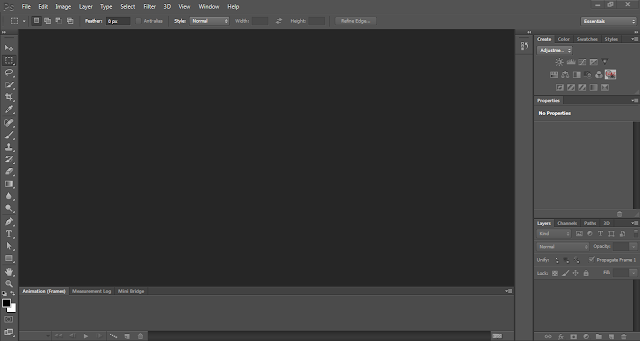
Content-Aware Patch-Patch images with greater control using Content-Aware Patch, the latest addition to the Content-Aware family of technologies, which allows you to choose the sample area it will use to create your patch.
 
Mercury Graphics Engine and 64-bit support-Count on the new Mercury Graphics Engine for blazingly fast performance when editing with key tools, and take advantage of cross-platform 64-bit support to speed up imaging tasks.
 
New and reengineered design tools-Create superior designs fast. Get consistent formatting with type styles, use vector layers to apply strokes and add gradients to vector objects.
 
Intuitive video creation-Bring Photoshop editing power to your video footage. Easily enhance any clip using the full range of familiar Photoshop tools, and create videos using an intuitive set of video tools.
 
Adobe Photoshop Camera Raw 7 plug-in-Bring out the best in your JPEG and raw files with improved processing and an enhanced control set; reveal every detail in the highlights of an image while still retaining rich detail in the shadows; and much more.

Adobe Photoshop CS6 System Requirements

•Intel® Pentium® 4 or AMD Athlon® 64 processor

•Microsoft® Windows® XP* with Service Pack 3 or Windows 7 with Service Pack 1

•1GB of RAM

•1GB of available hard-disk space for installation; additional free space required during installation (cannot install on removable flash storage devices)

•1024x768 display (1280x800 recommended) with 16-bit color and 512MB of VRAM

•OpenGL 2.0–capable system

•DVD-ROM drive

•This software will not operate without activation. Broadband Internet connection and registration are required for software activation, validation of subscriptions, and access to online services.† Phone activation is not available.

* 3D features and some GPU-enabled features are not supported on Windows XP.
** Note : After Trying This , Please Buy the Original Software **


Installation Guide :


1. Disable internet or this will not work.

2. Run 'Set-Up.exe' under the 'Adobe CS6' folder and click on the 'TRY' setup.

3. Select your language [You will not be able to change this later].

4. Once the install is completed shut the 'Set-Up.exe'.

5. For 'Extended Edition' to work run Photoshop once WITH OUT patching it and use your 30 day trial.

6. Back up the amtlib.dll in the folder where you installed Photoshop, for example 'D:Program Files (x86)AdobeAdobe Photoshop CS6 (64 Bit)'.

7. Apply the 32bit or 64bit cracks as needed from the 'cracked dll' folder.

8. Under the Photoshop_CS6_13_0_1_update folder run the AdobePatchInstaller.


9. And you are done! Now You can reconnect your internet .


Now…..Enjoy.. Adobe Photoshop CS6 ….


Subscribe to RSS Feed Follow me on Twitter!